> For the complete documentation index, see [llms.txt](https://docs.defined.fi/llms.txt). Markdown versions of documentation pages are available by appending `.md` to page URLs; this page is available as [Markdown](https://docs.defined.fi/defined-docs/readme/account-management.md).
# Account Management
General Account Info, Wallets, Settings, Referrals & more
### Account settings and profile
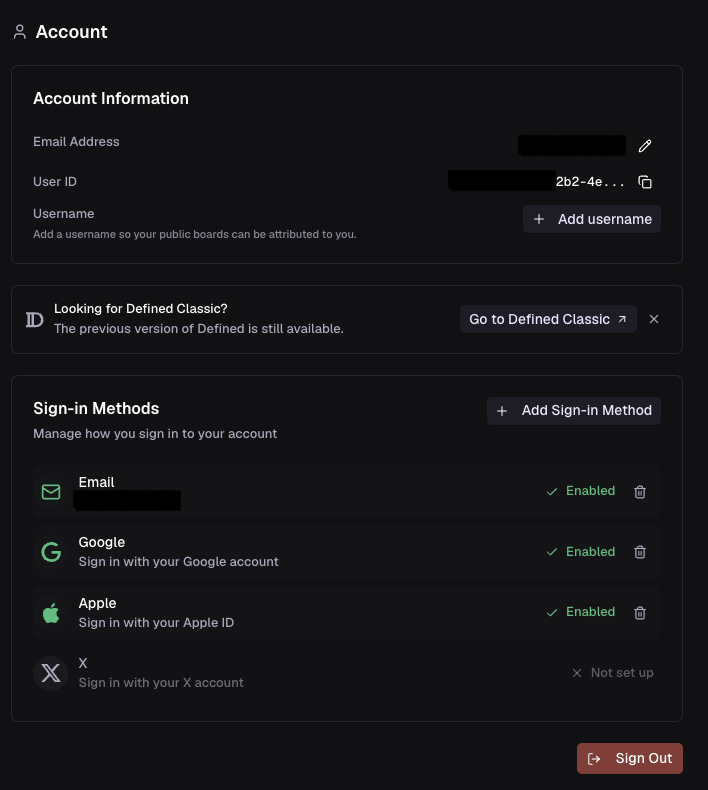
The Account panel is where you can find your user ID and manage your sign-in methods.
Add or remove sign-in methods
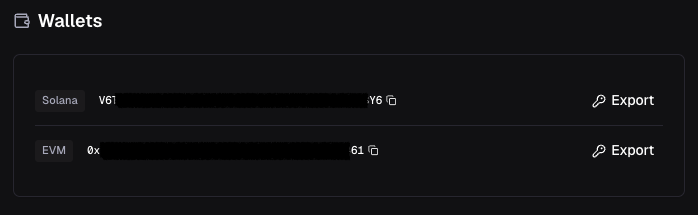
### Managing wallets (EVM and Solana by default)
Your account will auto-generate two wallets on sign-up, one EVM and one Solana. During the initial deposit flow, you will transfer to one of these addresses. Your Cash Balance (USDC) will be held in your Solana wallet and any trades you make will originate from that wallet (regardless of network). Any token you sell, on any network, will also convert to USDC on Solana and be added to your Cash Balance.
You may export () the private keys for each wallet at your discretion. Do not share these with anyone.
### Withdrawing funds
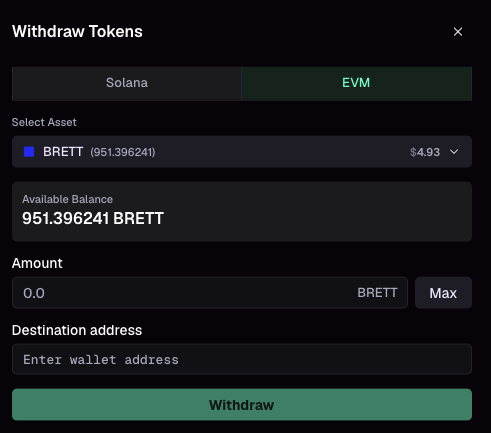
You can withdraw from your Cash Balance at any time. Open the wallet menu in the top nav bar and select "Withdraw", then choose the token and destination address. Withdrawals are sent on-chain from your Defined wallets.
### App settings and preferences
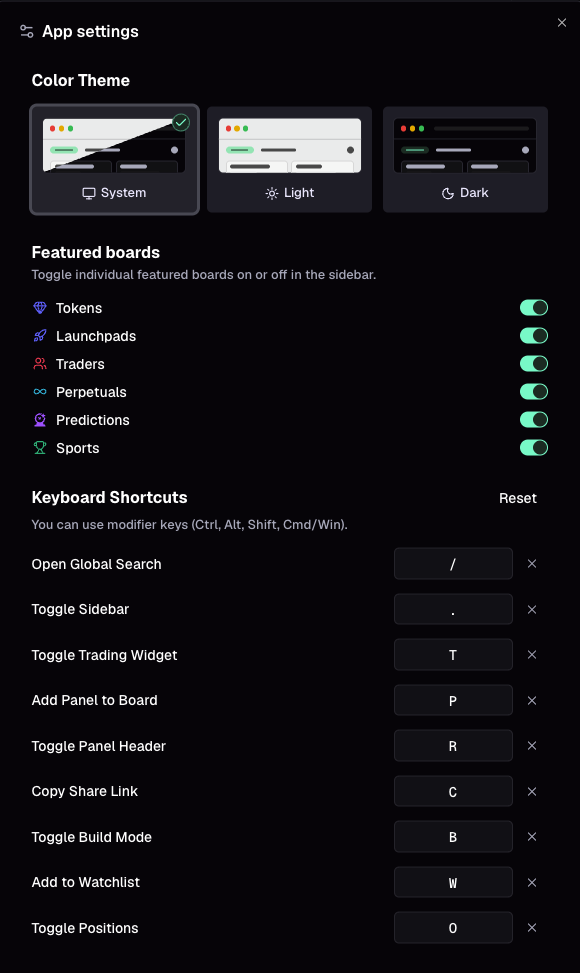
Color themes, general settings, and keyboard shortcuts are found in this panel. You can also open settings from anywhere by clicking the settings button in the top nav bar.
### Notifications
Defined keeps you posted on web and the mobile app. You'll get notifications for tracked trader activity, price movements, order fills, XP earned, and other account activity.
.png?alt=media)