> For the complete documentation index, see [llms.txt](https://docs.defined.fi/llms.txt). Markdown versions of documentation pages are available by appending `.md` to page URLs; this page is available as [Markdown](https://docs.defined.fi/defined-docs/defined-classic/telegram-bot-guide/connect-your-account.md).
# Connect your Account
Connect your Defined account with @defined\_bot
To get started, create a conversation with [@defined\_bot](https://t.me/defined_bot) in Telegram and type "/start".
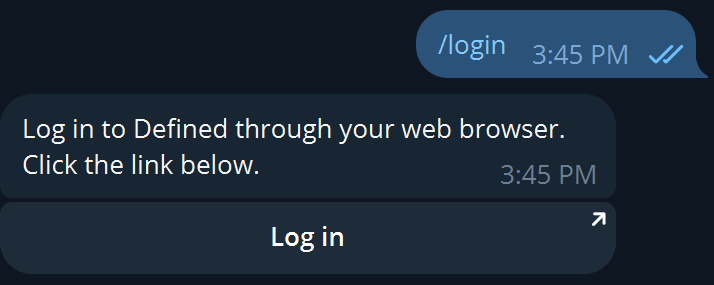
You'll now be able to connect your accounts by typing /login and selecting the "Log in" button provided by the bot:
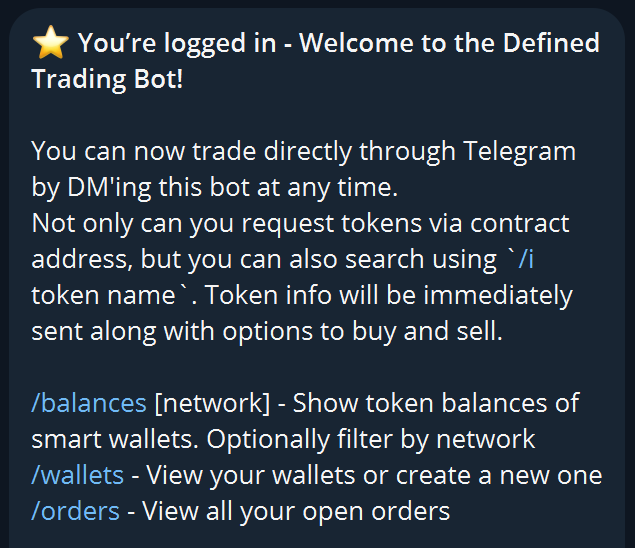
Once authenticated, you can close the Defined window and return to Telegram. You will have received a message confirming your login along with a breakdown of your Defined trading wallets.
You're now ready to trade on Telegram with your Defined trading wallets! Next, we'll review some basic trading functions with @defined\_bot 👉