> For the complete documentation index, see [llms.txt](https://docs.defined.fi/llms.txt). Markdown versions of documentation pages are available by appending `.md` to page URLs; this page is available as [Markdown](https://docs.defined.fi/defined-docs/defined-classic/defined-features/top-traders.md).
# Top Traders
Overview of a token's top traders based on overall trading performance
Our Top Traders feature is a powerful new way for our users to discover some of the best trading wallets that interact with a particular token.
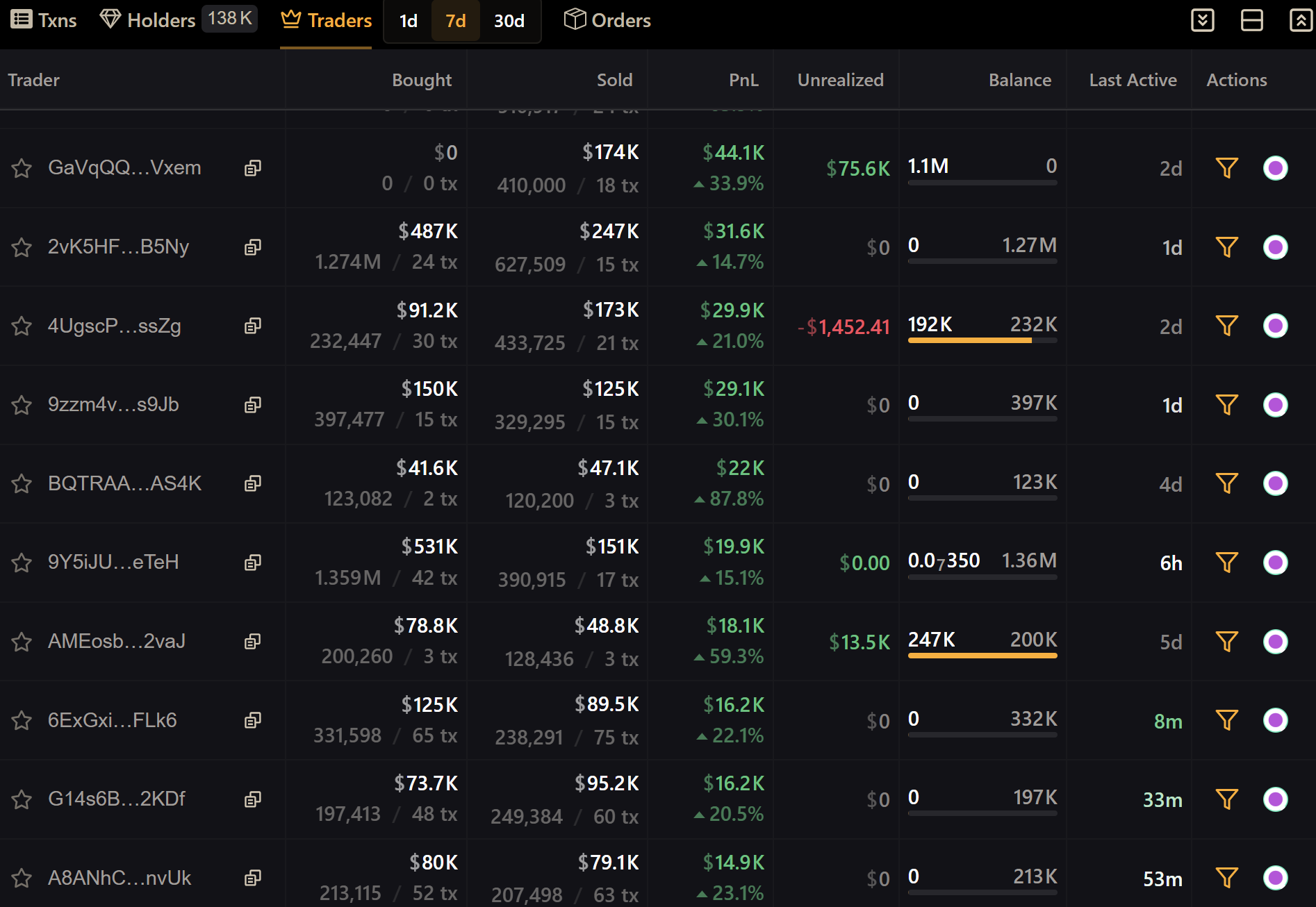
To find this data, select a token on [defined.fi ](https://defined.fi)and navigate to the Traders table as highlighted below:
The Traders table will display a list of wallets that, based on our own set of robust parameters, have displayed superior trading performance over the indicated timeframe (1/7/30 days).
**You might be wondering... *****"Aren't most of these just bots?"***
Short answer, no. We have taken into consideration many factors in an attempt to remove as many bot wallets as possible. It is true that a small number of wallets included in Top Traders may still be bots, but we are continuously improving and adjusting our determination methods in order to display a meaningful and accurate list of *real* traders.
Combine this feature with our built-in [Wallet Tracking](/defined-docs/defined-classic/defined-features/wallet-tracking-traders.md) and [Discover Traders](/defined-docs/defined-classic/defined-features/discover-traders.md) feature to ensure you always have the best Alpha for trading. You can quickly track any Top Trader wallet by selecting the track wallet icon next to the wallet address.

 next to the wallet address.